 Tktem
Tktem
Design QR code and barcode labels, lay them out on a sheet and create PDFs that print at true size. Free, offline, no account.
Coming soon to Microsoft Store
What Tktem does
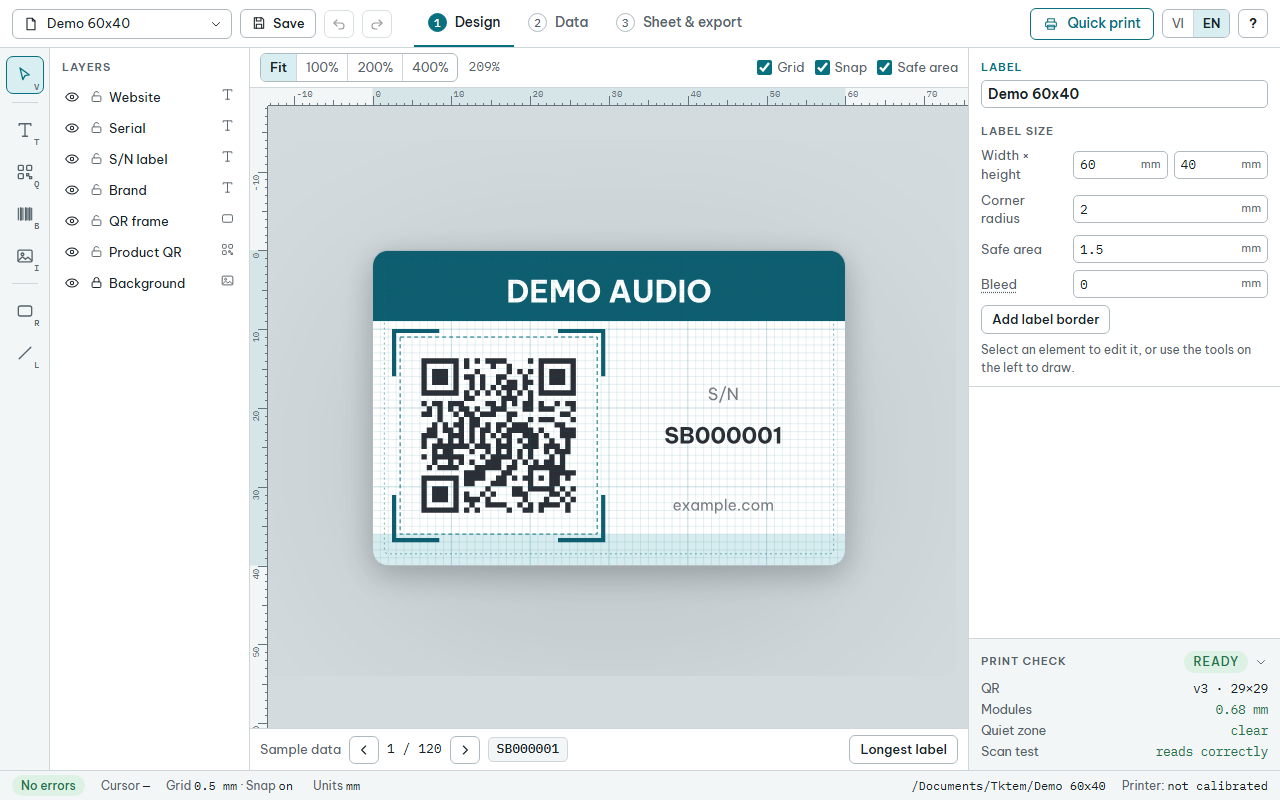
Draw the label once: QR codes (including VietQR bank transfer codes), retail and logistics barcodes, text, images and borders. Give every label its own code from a number range or a CSV file, preview it with real data, and let the print check warn you about codes that are too small to scan or elements outside the safe area.
Lay the labels out on standard paper or on your print shop's die-cut PDF. Calibrate each printer once with a measuring page: Tktem writes the correction into every PDF it creates for that printer, so a 50 mm label prints at 50 mm.
Print operators get a Quick print screen: pick a finished template, enter a code range and create the PDF, without changing the design.
- QR codes with your own text or web address, or a VietQR bank transfer code
- Barcodes: EAN-13, UPC-A, EAN-8, GS1-128, Code 128, DataMatrix and GS1 DataMatrix
- A unique code on every label, from a number range, a code formula or a CSV file
- Sheet layout on standard paper or on a print shop's die-cut PDF
- Printer calibration so labels print at true size
- Works offline: no account, no ads, no data collected
- English and Vietnamese, mm or inches, light and dark mode
This is a beta release: size accuracy is still being confirmed on real printers and scanners. Print a test sheet and measure it before printing large batches.
Help and support
- User guide
- Privacy policy
- Questions and bug reports: tktem2026@gmail.com